

- By admin
- August 21, 2026
- Comment Off
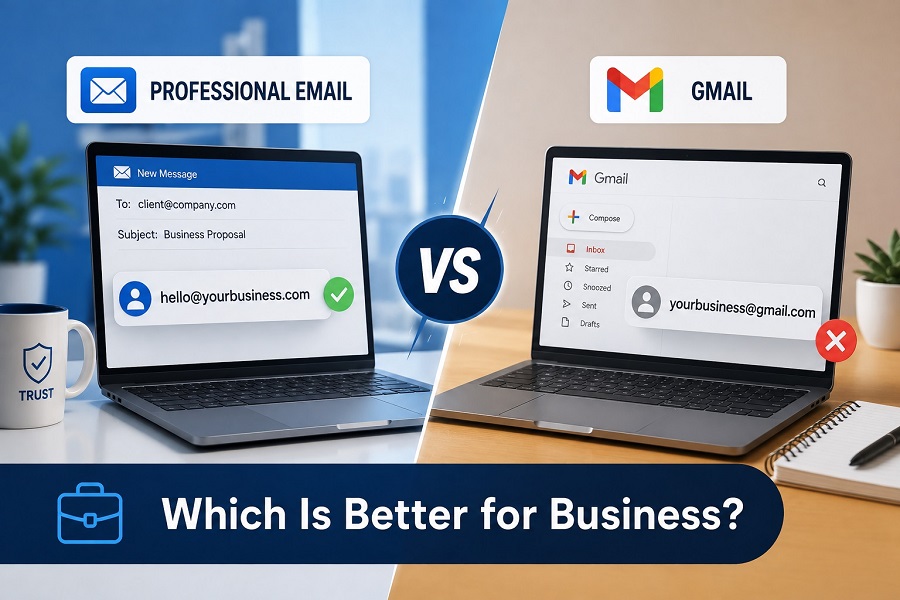
Email remains one of the most important communication tools for modern businesses. Whether you are contacting customers, sending quotations, managing enquiries, communicating with suppliers, or following up with leads, the professional email vs Gmail choice can influence how people perceive your company.
For new businesses, one common question is whether to use a free Gmail address or invest in a branded email address connected to the company’s domain. This makes the professional email vs Gmail debate especially important for small businesses, freelancers, startups, and growing companies.
Gmail is convenient, familiar, and easy to use. However, a professional email for business gives you a branded identity that can make your company look more established and trustworthy.
So, which is better: professional email or Gmail? The answer depends on how you plan to use email, but for a business that wants to build a recognizable brand, a custom professional email is generally the stronger long-term choice.
What is a Professional Email Address?
A professional email address uses your company’s own domain name instead of a generic email provider’s domain.
For example:
- [email protected] — Gmail address
- [email protected] — professional business address
- [email protected] — branded sales email
- [email protected] — branded support email
A business email address can use your company’s domain to create a consistent identity across all your communications.
Instead of relying on a generic email domain, your business can use the same domain as your website. This creates a stronger connection between your website, brand, and email communication.
Gmail vs Business Email: What’s the Difference?
When comparing Gmail vs business email, the biggest difference is branding and control.
A personal Gmail address is usually suitable for individual communication. It is free, easy to create, and accessible from almost any device.
A business email, on the other hand, is designed around your company’s domain and communication needs. Depending on the service you choose, it can provide multiple mailboxes, administrative controls, security features, storage, spam protection, and other business-focused tools.
For example, imagine receiving an enquiry from:
Compared with:
The second address immediately communicates the company name and looks more closely connected to an established business.
Professional Email vs Gmail for Business
The professional email vs Gmail for business decision often comes down to branding, credibility, management, and long-term business requirements.
Gmail is excellent for personal communication and can be useful when starting out. However, if you are contacting customers regularly, promoting your services, sending proposals, or communicating with other companies, a branded email address can create a more professional impression.
A professional email can also allow businesses to create dedicated addresses such as:
- [email protected]
- [email protected]
- [email protected]
- [email protected]
- [email protected]
- [email protected]
This makes communication easier to organize as the company grows.
Gmail vs Professional Email: Which Looks More Professional?
The Gmail vs professional email comparison becomes particularly relevant when your business is building trust with new customers.
A generic Gmail address isn’t necessarily unprofessional. Many freelancers and small businesses use Gmail successfully. However, a custom domain email can communicate that your company has invested in its own online identity.
For example, customers are likely to recognize the connection between:
- Website: www.example.com
- Email: [email protected]
The consistent branding makes the business easier to recognize.
For companies competing in crowded markets, these small details can contribute to a stronger overall customer experience.
Why Use Professional Email for Business?
There are several reasons businesses choose a professional email address.
1. Build a Stronger Brand Identity
Your domain is part of your brand. Using it in your email address reinforces your company name every time you send a message.
If someone receives an email from [email protected], they immediately know which business the message comes from.
This makes custom domain email particularly valuable for companies that want consistent branding across their website, email, social media, and marketing materials.
2. Increase Customer Confidence
Customers want to know that they are dealing with a legitimate business.
A branded email address can create a more consistent and trustworthy appearance, especially when communicating with customers who have never interacted with your company before.
A professional address won’t automatically make a business trustworthy, but it can support the credibility created through your website, reviews, customer service, and overall brand presentation.
3. Create Department-Specific Addresses
As your company grows, you may need different email addresses for different teams.
For example:
This makes it easier for customers to contact the right department and gives your business a more organized communication structure.
4. Maintain Consistent Branding
A professional email for business allows you to keep your brand visible in every email you send.
Your company name can appear in the domain rather than relying on the name of a third-party email provider.
This is especially useful when sending invoices, proposals, newsletters, quotations, and customer support messages.
What is Custom Domain Email?
Custom domain email means using an email address based on a domain that belongs to your business.
For example, if your website is:
- www.brightbusiness.com
you could create:
Your domain and email address then work together as part of one digital identity.
Custom domain email is commonly provided through dedicated email hosting or business productivity platforms.
What is Business Email Hosting?
Business email hosting is a service that provides infrastructure for storing, sending, receiving, and managing business emails.
Rather than using a basic free mailbox, businesses can purchase email hosting connected to their own domain.
Depending on the provider and package, business email hosting may include features such as:
- Custom domain email addresses
- Multiple mailboxes
- Spam and malware protection
- Email storage
- Webmail access
- Mobile and desktop support
- Email forwarding
- Administrative controls
- Security features
- Backup and recovery options
For companies that rely heavily on email, choosing reliable hosting can be an important part of their digital infrastructure.
Professional Email Hosting for Growing Businesses
Professional email hosting can be useful when a company needs more than one email account.
For example, a growing company might start with:
and later create:
Using a dedicated email hosting solution can make managing these accounts easier while keeping everything connected to the company’s domain.
Is Gmail Bad for Business?
No. Gmail isn’t inherently bad for business.
In fact, Gmail is a powerful email service and can be appropriate for individuals, freelancers, and businesses depending on their requirements.
The issue is not whether Gmail works. It is about how the email address represents your company.
For example, a personal Gmail address may be perfectly acceptable when communicating internally or during the earliest stage of a business. However, a branded address can be more appropriate when presenting your company to customers and other businesses.
The important distinction is between using Gmail as an email platform and using a generic Gmail address as your public business identity.
Can You Use Gmail With a Business Domain?
Businesses can use certain Google-based business email solutions with their own domain. This means you can potentially have the familiar Gmail-style interface while using an address such as:
This can be an attractive option for companies that already prefer Google’s productivity ecosystem.
However, businesses should compare pricing, storage, administration, security, collaboration tools, and other requirements before choosing an email platform.
Best Business Email Service: What Should You Look For?
When searching for the best business email service, don’t choose based solely on price.
Consider the following factors:
Security: Look for strong authentication, spam protection, malware protection, encryption, and account security features.
Reliability: Business communication depends on reliable email delivery and access. Your provider should have dependable infrastructure and appropriate uptime.
Storage: Consider how much mailbox storage each employee needs, especially if your team receives large attachments or retains emails for long periods.
Scalability: Your email solution should allow you to add users and mailboxes as your business grows.
Support: Reliable customer support can be valuable when dealing with account configuration, DNS settings, email delivery problems, or migrations.
Management: Business administrators may need tools for managing accounts, permissions, aliases, forwarding, and security settings.
Best Professional Email for Small Business
The best professional email for small business depends on your budget, team size, technical requirements, and preferred tools.
A small business may only need a few branded mailboxes, while a larger organization might require advanced administration, collaboration tools, larger storage limits, and additional security controls.
Before choosing a provider, consider:
- Number of users
- Required storage
- Email security
- Domain compatibility
- Mobile access
- Desktop compatibility
- Backup requirements
- Administrative features
- Customer support
- Pricing and renewal costs
The right solution should provide enough functionality without paying for features your business doesn’t actually need.
How to Create a Professional Email Address
If you’re wondering how to create a professional email address, the process is relatively straightforward.
First, you need a domain name for your business. If you don’t already have one, register a suitable domain.
Next, choose an email hosting provider that supports custom domains. Create your mailbox and configure the required DNS records.
You can then access your email through webmail or configure it on your preferred desktop and mobile email application.
For example, if your company owns:
- yourbusiness.com
you could create:
This address can then be used on your website, business cards, proposals, invoices, and marketing materials.
How to Create a Business Email Address
How to create a business email address depends on your chosen email provider, but the basic process usually involves:
- Register a business domain.
- Choose an email hosting service.
- Connect your domain to the email service.
- Create your mailbox.
- Configure DNS and email records.
- Set up security features.
- Access your mailbox through webmail or an email application.
- Test sending and receiving messages.
For a growing company, you can create multiple addresses for different employees or departments.
Professional Email vs Gmail: Cost Considerations
Cost is naturally an important consideration when comparing professional email vs Gmail.
A free Gmail account has no direct mailbox subscription cost, although it may not provide the branded domain identity many businesses want.
Professional email typically involves paying for email hosting or a business email platform. Pricing varies depending on the provider, number of users, storage, security, and additional features.
Rather than asking only how much email costs, consider what your business receives in return.
For a customer-facing business, a branded email address is a relatively small investment compared with the value of presenting a consistent, professional identity.
Common Business Email Mistakes to Avoid
Whether you choose Gmail or professional email, avoid these common mistakes:
- Using an inappropriate personal email address for customer communication
- Choosing an unnecessarily complicated email address
- Sharing one mailbox between too many employees
- Using weak passwords
- Not enabling available security features
- Ignoring spam and phishing protection
- Failing to back up important information
- Not setting up appropriate DNS records
- Allowing former employees to retain account access
- Using inconsistent email addresses across marketing materials
A well-managed email system is an important part of business security and communication.
Final Verdict: Professional Email or Gmail?
So, which is better: professional email or Gmail?
For personal communication, Gmail remains an excellent option. For freelancers and very small businesses, a free Gmail account may be sufficient in certain situations.
However, if your goal is to build a recognizable business brand, a professional email address using your own domain is generally the better choice.
The strongest approach for many businesses is to combine a reliable email platform with a custom domain email address. This gives you the convenience of modern email tools while maintaining a branded identity.
The real comparison isn’t simply Gmail vs business email. It is about choosing the right communication solution for your company’s current needs and future growth.
A professional address such as [email protected] can strengthen brand consistency, improve the presentation of your business, and make your customer communications feel more established.
Final Takeaway
If you’re launching a new company, investing in professional email for business should be considered alongside your domain, website, hosting, and security setup.
Choose an email service that is secure, reliable, scalable, and easy to manage. Most importantly, use your business domain consistently so customers can immediately recognize who they’re communicating with.
For most customer-facing companies, professional email vs Gmail for business isn’t really about choosing one technology over another. It’s about creating a professional digital identity that your customers can recognize and trust.