

- By admin
- August 20, 2026
- Comment Off
If you are planning to create a website, you have probably come across terms like domain name, web hosting, server, DNS, SSL, bandwidth, and storage. Understanding how these elements work together is essential for building a reliable online presence.
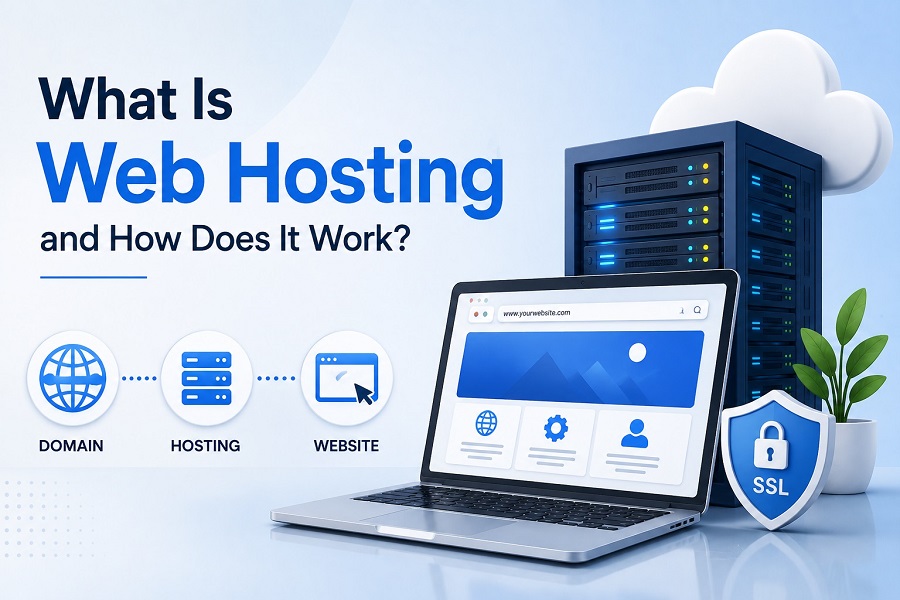
So, what is web hosting? In simple terms, web hosting is a service that stores your website’s files, databases, images, videos, and other resources on a server and makes them accessible to people through the internet.
Whenever someone enters your website address into a browser, the hosting server delivers the necessary website files to that visitor’s device. But how does web hosting work, and what type of hosting should you choose?
This guide explains everything you need to know about website hosting, including how servers work, the difference between domains and hosting, different hosting types, security, performance, SEO, and how to choose the right hosting plan.
What is Web Hosting?
What is website hosting? Website hosting is a service that provides the server space and technology required to store and deliver your website online.
A website consists of many files, including HTML, CSS, JavaScript, images, videos, fonts, databases, and applications. These files need to be stored somewhere that can remain connected to the internet and respond when visitors request them.
That is where hosting comes in.
A web hosting service provides space on a physical or virtual server where your website’s files are stored. The hosting provider also manages important server infrastructure such as network connectivity, security, hardware, backups, and server availability, depending on the hosting package.
Without hosting, your website files would not have a reliable place from which they could be delivered to visitors.
How Does Web Hosting Work?
So, how does website hosting work?
When you purchase a hosting plan, your website is placed on a server operated by a hosting provider. Your domain name is then connected to that server using DNS settings.
When someone enters your domain into their browser, several processes happen behind the scenes.
What Happens When You Visit a Website?
If you are wondering what happens when you visit a website, the process generally looks like this:
- You enter a domain name into your browser.
- The browser needs to find the server associated with that domain.
- DNS translates the domain name into the appropriate IP address.
- The browser sends a request to the web server.
- The server processes the request.
- The server sends the required website files back to the browser.
- Your browser displays the website.
This process happens extremely quickly, often within seconds or less.
How Does a Website Connect to a Server?
How does a website connect to a server? A website connects to its hosting server through domain and DNS configuration.
Your domain contains DNS records that tell the internet where your website should be found. These records can point the domain toward the appropriate hosting server or hosting platform.
This is why understanding how DNS connects a domain to hosting is important when launching a new website or moving an existing website.
What is a Hosting Server?
A hosting server is a computer system designed to store and deliver websites and web applications over the internet.
So, what is a website server? It is essentially the infrastructure that receives requests from visitors and responds by delivering website content.
Hosting servers are designed to operate continuously and are usually located in professional data centers with high-speed internet connections, power backup, cooling systems, monitoring, and security infrastructure.
Where are Websites Hosted?
Where are websites hosted? Websites are hosted on servers located in data centers around the world.
Depending on the hosting provider and plan, your website may be hosted on a physical server, virtual server, cloud infrastructure, or a combination of technologies.
The geographical location of servers can also influence website performance, particularly for visitors located far away from the server.
Why Do I Need Web Hosting for My Website?
A common question for beginners is why do I need web hosting for my website?
A website needs somewhere to store its files and somewhere capable of delivering those files to visitors. Hosting provides this infrastructure.
Professional hosting can also provide features such as:
- Website storage
- Bandwidth
- Email hosting
- SSL support
- Database management
- Website backups
- Security tools
- Server monitoring
- Control panels
- Technical support
- Application installation
Without reliable hosting, your website may experience slow loading, downtime, security problems, or limited ability to handle visitors.
Domain Name vs Web Hosting
One of the most common areas of confusion for beginners is domain name vs web hosting.
- Your domain name is your website’s address, such as example.com.
- Your web hosting is the server space where your website’s files are stored.
An easy way to understand the difference is to think of a physical business:
Domain name = your business address
Web hosting = the building where your business operates
You generally need both for a conventional website.
What is the Difference Between Domain and Hosting?
What is the difference between domain and hosting?
A domain identifies where your website can be found, while hosting provides the infrastructure needed to store and deliver the website.
They are separate services, although many providers offer domains and hosting together.
How Do Domain and Hosting Work Together?
Understanding how does domain and hosting work together makes website setup much easier.
You register a domain with a domain registrar and purchase hosting from a hosting provider. You then connect the domain to your hosting account through DNS.
Once the DNS configuration is active, visitors using your domain can be directed to the server containing your website.
Do I Need Hosting for a Website?
Do I need hosting for a website? For most traditional websites, yes.
If you want to run a business website, online store, blog, portfolio, membership website, or WordPress website using your own domain, you will generally need hosting or a hosted website platform.
Some website builders include hosting as part of their service, so you may not always need to purchase traditional hosting separately.
Different Types of Web Hosting
Not every website has the same hosting requirements. Understanding the different options can help you decide what type of web hosting do I need.
What Is Shared Web Hosting?
What is shared web hosting? Shared hosting places multiple websites on the same physical server and allows them to share server resources.
It is often an affordable option for smaller websites and beginners.
How does shared hosting work? The hosting provider allocates resources from a server among multiple hosting accounts. Because resources are shared, performance can be affected when another website experiences unusually high traffic or resource usage.
VPS Hosting
What is VPS hosting and how does it work? VPS stands for Virtual Private Server. A physical server is divided into multiple virtual environments, giving each VPS dedicated or controlled resources and greater isolation than traditional shared hosting.
VPS hosting is often suitable for growing websites that need more control, resources, or flexibility.
Cloud Hosting
What is cloud hosting and how does it work? Cloud hosting uses interconnected infrastructure rather than relying entirely on one physical server.
This approach can provide greater scalability and flexibility, making it useful for websites with changing traffic requirements.
Dedicated Hosting
What is dedicated hosting and how does it work? Dedicated hosting provides an entire physical server for one customer or website environment.
It offers extensive control and resources but is typically more expensive and may require greater technical knowledge.
Shared Hosting vs VPS Hosting
When comparing shared hosting vs VPS hosting, shared hosting is generally simpler and more affordable, while VPS hosting provides greater isolation, control, and resources.
VPS vs Cloud Hosting
The comparison of VPS vs cloud hosting depends on your requirements. VPS hosting provides a virtualized server environment, while cloud hosting typically uses scalable infrastructure across multiple interconnected resources.
Cloud Hosting vs Shared Hosting
With cloud hosting vs shared hosting, cloud hosting is generally designed for greater scalability, while shared hosting is often aimed at smaller websites that have relatively predictable resource requirements.
How Much Storage and Bandwidth Do You Need?
Two important hosting resources are storage and bandwidth.
How Much Website Storage Do I Need?
How much website storage do I need? That depends on your website.
A basic business website with text and optimized images may require relatively little storage. An ecommerce store, photography website, video platform, or website with large downloadable files may require substantially more.
What is Website Storage in Hosting?
What is website storage in hosting? It refers to the server space available for storing your website files, databases, emails, media, backups, and other data, depending on your hosting package.
How Much Bandwidth Does a Website Need?
How much bandwidth does a website need? Bandwidth refers to the amount of data that can be transferred between your website and its visitors during a given period.
A website with thousands of visitors and large media files will generally require more bandwidth than a small informational website.
What is Bandwidth in Web Hosting?
What is bandwidth in web hosting? It is the capacity available for transferring website data between your hosting server and users.
High-quality images, videos, downloads, and high visitor volumes can increase bandwidth usage.
How Does Hosting Affect Website Speed?
How does hosting affect website speed? Hosting can have a significant impact on performance.
Server resources, hardware, network quality, server location, caching, database performance, and server configuration can all influence loading times.
To improve website hosting performance, consider:
- Choosing appropriate server resources
- Using caching
- Optimizing images
- Keeping software updated
- Using a content delivery network where appropriate
- Selecting a suitable server location
- Monitoring resource usage
- Keeping databases optimized
Fast hosting is particularly important for businesses because visitors may leave websites that take too long to load.
How Much Does Web Hosting Cost?
How much does web hosting cost? Pricing varies considerably depending on the hosting type, resources, provider, contract length, features, and additional services.
Shared hosting is generally more affordable, while VPS, cloud, and dedicated hosting typically cost more because they provide additional resources and flexibility.
Always compare the renewal price—not just the introductory offer—before purchasing a plan.
How to Host a Website?
If you’re wondering how to host a website, the process generally involves:
- Registering a domain name.
- Choosing a suitable hosting plan.
- Purchasing the hosting service.
- Connecting your domain to the hosting account.
- Uploading or installing your website.
- Configuring DNS.
- Installing SSL/HTTPS.
- Testing the website.
- Setting up backups and security.
- Launching the website.
For WordPress websites, many hosting providers offer simplified WordPress installation tools.
Best Hosting Options for Different Users
The best web hosting for beginners is usually a service that is easy to manage, affordable, secure, and supported by helpful documentation or customer support.
The best web hosting for small business should provide enough performance, storage, security, and scalability for the company’s website and expected traffic.
For established companies, the best hosting for business websites depends on traffic, applications, security requirements, performance expectations, and growth plans.
For WordPress users, the best hosting for WordPress websites should offer good WordPress compatibility, performance, security, backups, and easy management.
There is no single hosting plan that is best for every website. The right choice depends on your specific requirements.
How to Migrate a Website to New Hosting
If your current hosting provider no longer meets your needs, you may need to migrate a website to new hosting.
A typical migration involves backing up your website, setting up the new hosting account, transferring website files and databases, configuring DNS, testing the new environment, and then switching your domain to the new server.
Before making changes, always create a complete backup and test the website carefully after migration.
Final Thoughts
Understanding what is web hosting and how does it work is an important step for anyone building a website.
Hosting provides the infrastructure that stores your website and makes it available online. Your domain gives visitors a way to find your website, while DNS connects that domain to the appropriate hosting environment.
Whether you’re launching a simple business website, an online store, a blog, or a growing WordPress website, choosing the right hosting can make a significant difference to performance, security, reliability, and scalability.
Start by understanding your website’s requirements, compare hosting providers carefully, and choose a plan that provides enough resources for your current needs while allowing room for future growth.